

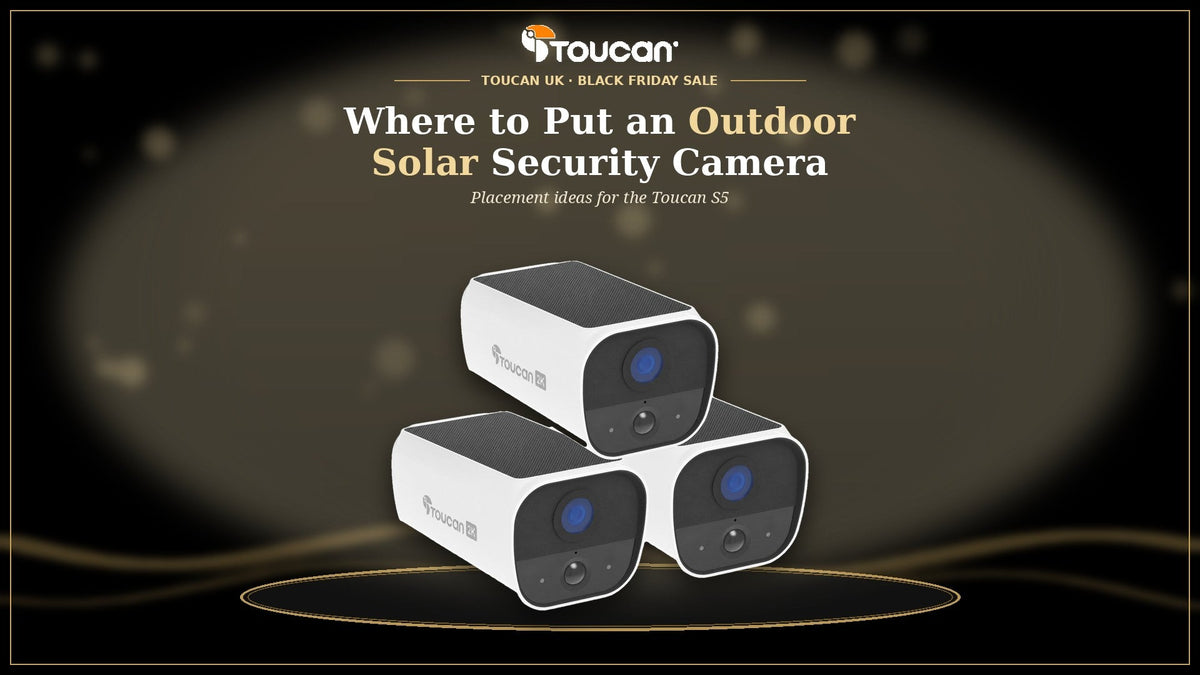
Outdoor camera placement guide · Black Friday sale 2026
The Toucan S5 is an outdoor camera, and where you put it makes all the difference: to what you see, and to how well its solar panel keeps the battery topped up. If you've picked up a wireless outdoor camera this Black Friday, or you're about to, here are the best places to fit it around the outside of a UK home. No subscription required*.
- Outdoor onlyThe S5 is made for outside walls and posts, with IP56 weather resistance.
- Daylight and Wi-FiPick spots with good sunlight and a steady 2.4GHz Wi-Fi signal.
- Within rangeIts PIR sensor detects motion at 5 to 6m, and up to 10m at night.
Before you choose a spot: three quick checks
- Sunlight. The solar panel sits on top of the camera, so pick a place with an open sky above it and good daylight. Avoid deep shade under eaves, trees or a carport.
- Wi-Fi. The S5 uses 2.4GHz Wi-Fi (up to 50m) and isn't compatible with 5GHz. Stand at the spot and check your phone holds a steady signal.
- Distance. Motion detection reaches 5 to 6m, with a 120° detection angle, so fit the camera close enough to the area you care about.
If you are still weighing a solar camera against a wired or battery-only one, start with when to use a solar security camera.
Where to put an outdoor solar security camera
- The front of the house. See who's coming up the path and when parcels arrive. Two-way talk lets you answer a courier from your phone.
- The drive. Keep an eye on the car and the comings and goings. The 144° diagonal view takes in a wide area.
- The side gate or side return. Often the spot with no power point nearby, which is exactly where a wire-free camera helps.
- The back garden. Check on the garden, the patio or the bins from the app.
- The outside of a garage, shed or garden office. Fit it to an outside wall where it can see the door, as long as your Wi-Fi reaches.

Fitting tips for the best view and charge

- Charge it first. Charge the S5 fully with the USB-C cable before you fit it.
- Face the panel to the sky. Mount the camera upright so nothing shades the panel on top.
- Use the included mount. Fix the mount and plate to an outside wall or post with the screws and anchors in the box.
- Check the view in the app. Open live view and adjust the angle before you tighten the mount.
- Set motion zones and alerts. Tune alerts in the free app so you hear about the things that matter.
- Plan for winter. Shade, season, weather and activity affect charging, so keep the cable handy for the occasional top-up.
Our installation guides cover each step.
Where not to put it
- Anywhere but outside. The S5 is an outdoor camera. Fit it to an outside wall, post or fence, never in a room or conservatory.
- Deep shade. A north-facing wall that rarely sees the sun gives the panel little to work with.
- Beyond your Wi-Fi. If your phone loses signal at the spot, the camera will struggle too.
- Pointing at a neighbour's home. Point the camera at your own property. If it captures beyond your boundary, UK data protection rules apply, so read the ICO guidance on home CCTV.
Renting or in a flat? Ask your landlord or managing agent before fixing anything to the building.
Covering more than one spot
Most homes have more than one place worth watching. The S5 2-Pack suits a front and a back, such as the drive and the garden. The S5 3-Pack adds a third camera for a side gate. Each camera comes with its own mount and USB-C cable, and they all show up in the same free app.
Start with your busiest spot, then add more as you go. That's peace of mind built up one camera at a time.

A practical Christmas gift for the outside of the home
Buying for someone with a garden, a drive or a new home? An S5 is a useful gift that doesn't come with a monthly bill for core app features. A few things to check first:
- They have 2.4GHz Wi-Fi that reaches the outside spot they'd use.
- There's a bright outside wall or post for it, and they're happy to fix a mount to it (or have permission if they rent).
- They have a smartphone for the free Toucan Smart Home app (iOS 11.0 or above, or Android 7 or above).
The S5 is in our Black Friday sale, so it's a good time to get ahead on Christmas shopping.
- AI+Basic (free)Included free with every account, with no subscription needed: 24/7 live view, two-way audio, instant notifications, person, vehicle, pet and package detection alerts, 1 day of video event history, 5 video downloads a month, 1 shared user per camera, 30s event recording and unlimited devices.
- AI+PRO (optional upgrade)30 days of video event history, Advanced AI, intelligent alerts, up to 10 shared users per camera, unlimited video downloads and saved recordings. £4.99/month or £49.99/year.
- AI+ELITE (optional upgrade)90 days of video event history, Advanced AI, intelligent alerts, up to 10 shared users per camera, unlimited video downloads and saved recordings. £9.99/month or £99.99/year.
Plan names, features and prices from our Toucan Shield Plans page. Plan features apply across Toucan devices, so check each product page for the features a specific camera supports. No subscription required*.
Black Friday sale · Toucan S5
Toucan S5 Black Friday sale prices
Looking for Black Friday security camera deals in the UK? The S5 and its 2-Pack and 3-Pack are in our Black Friday sale.
-
S5 2K Solar Security Camera£79.99
Was £119.99 -
S5 Solar Security Camera 2-Pack£149.99
Was £219.99 -
S5 Solar Security Camera 3-Pack£199.99
Was £329.99
Sale prices and what the camera offers are in Toucan S5 solar security camera Black Friday. All of this year's offers are on the Black Friday sale page.
Black Friday sale prices on UK orders at toucansolution.co.uk, while stocks last. Prices can change, so check the product page on the day.
Frequently asked questions
Is the Toucan S5 an outdoor-only camera?
Yes. The S5 is an outdoor camera. Fit it to an outside wall, post or fence where its solar panel gets daylight and it can see the area you want to watch.
Where is the best place to put a solar security camera?
Somewhere outside with good daylight on the panel, a steady 2.4GHz Wi-Fi signal and a clear view of the area you care about, within the 5 to 6m motion detection range. The front of the house, the drive, a side gate and the back garden are common choices.
Can I fit the S5 to a shed or garage?
Yes, on an outside wall, as long as your 2.4GHz Wi-Fi reaches it (range up to 50m) and the panel gets daylight.
Will the S5 charge in the shade?
The panel needs daylight to help the battery, so deep shade means more charging by USB-C. Shade, season, weather and how often the camera records all affect charging.
Is the S5 a good Christmas gift?
It can be, for someone with an outside spot that gets daylight and 2.4GHz Wi-Fi. Every account includes the core app features and AI+ Basic free, and AI+PRO and AI+ELITE are optional paid upgrades; see the Shield Plans page.
How much is the S5 in the Black Friday sale?
The S5 is £79.99 (was £119.99), the 2-Pack is £149.99 (was £219.99) and the 3-Pack is £199.99 (was £329.99). Check the Black Friday sale page on the day, as prices can change.
Find the right outside spot
Daylight, Wi-Fi and a clear view: get those right and the S5 adds peace of mind outside your home. No subscription required*.
*No subscription required for core app features; AI+PRO and AI+ELITE are optional paid upgrades.
Share:
When and Why to Use a Solar Security Camera: A UK Guide
Black Friday Video Doorbell & Security Camera Deals UK